

Published on June 19, 2026 | Updated on June 19, 2026 | 9 min read
Capability Mapping Tool: Hierarchy, Coverage and Heatmaps
What a real capability mapping tool needs, how Archilu delivers hierarchy, coverage, owners and heatmaps, and an honest note on when a heavier suite fits.
Looking for an enterprise architecture software platform? Use our EA tool evaluation guide and run the EA maturity assessment.
Key takeaways
- How to compare platforms on decision outcomes, not feature volume.
- How to reduce adoption risk with a short but rigorous pilot.
- How to link tool selection to governance and transformation cadence.
Table of contents
- Operating model deep dive
- What a real capability mapping tool needs
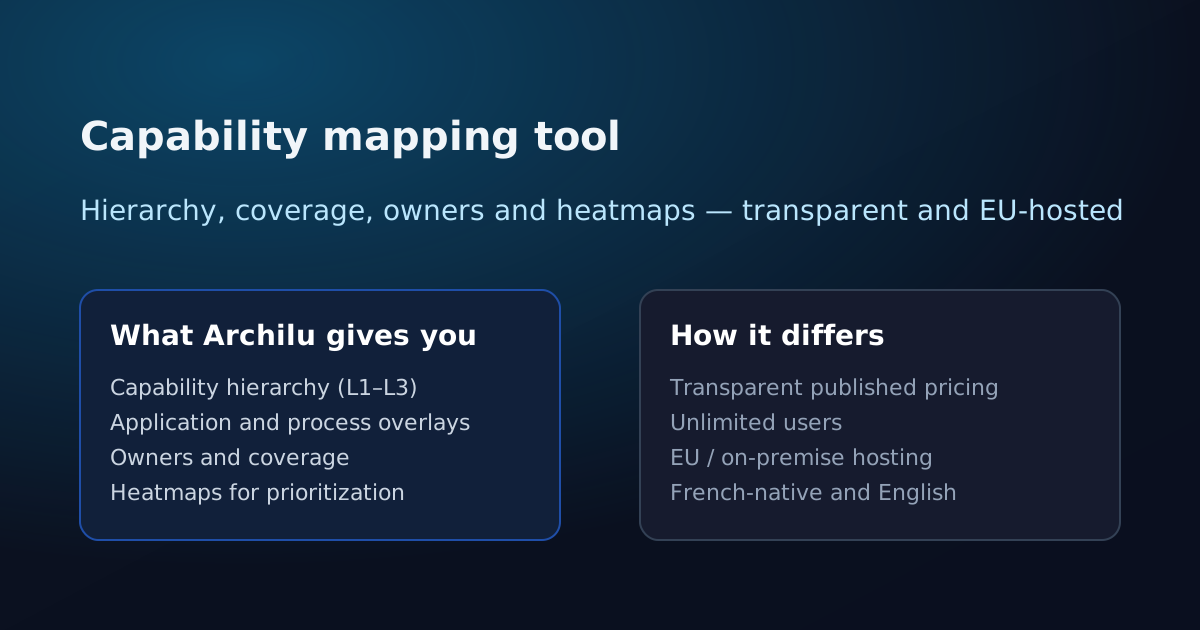
- What Archilu's capability mapping gives you
- From map to prioritized decisions
- How Archilu differs on adoption and sovereignty
- Be honest: when a heavier suite fits
- Decide from your maturity, then buy
- Metrics that matter
- Common mistakes
- Practical checklist
Operating model deep dive
Enterprise architecture software only creates value when it improves how decisions are made across strategy, portfolio, and delivery.
Before selecting a platform, define who makes which architecture decisions, what evidence is required, and how exceptions are tracked to closure.
- Map decision workflows by role (EA, domain leads, product, security, finance)
- Define minimal evidence pack for each decision type
- Set escalation path when standards and delivery pressure conflict
What a real capability mapping tool needs
A capability map answers a deceptively simple question: what must this organization be able to do? Done in a spreadsheet, it becomes a static list nobody trusts. The job of a capability mapping tool is to keep that view alive and connected — to the applications, processes and people that actually deliver each capability.
That connection is what turns a map into a decision tool. Once capabilities link to systems and owners, you can score coverage, expose duplication and under-investment, and make portfolio choices with evidence instead of opinion.
What Archilu's capability mapping gives you
Archilu treats the capability map as a first-class, living model rather than a drawing. The essentials are built in.
- A capability hierarchy from Level 1 down to the detail your decisions require
- Application and process overlays so each capability shows what delivers it
- Explicit owners and coverage, so accountability and gaps are visible
- Heatmaps to expose strategic importance, maturity, risk and investment gaps
From map to prioritized decisions
The point of mapping is not the map; it is the prioritization it enables. With coverage and heatmaps in one place, leadership can see which capabilities are over-served by redundant applications, which critical ones are fragile, and where the next euro of investment should go.
Because the model connects to the application portfolio, the same view supports rationalization and roadmap conversations — not a separate, disconnected exercise.
A capability mapping tool that links hierarchy, owners, coverage and app overlays into heatmaps — with unlimited users, EU hosting and fast time-to-value.
How Archilu differs on adoption and sovereignty
Beyond features, the user model and hosting often decide adoption. Archilu is deliberately built for broad participation and EU sovereignty.
- Unlimited users with no per-seat fee, so the whole organization can contribute
- EU or on-premise hosting you control, built for DORA/CSSF documentation needs
- French-native and English, relevant across Luxembourg, Belgium, France and Switzerland
- Fast time-to-value, so a usable map and heatmaps land in weeks, not quarters
Be honest: when a heavier suite fits
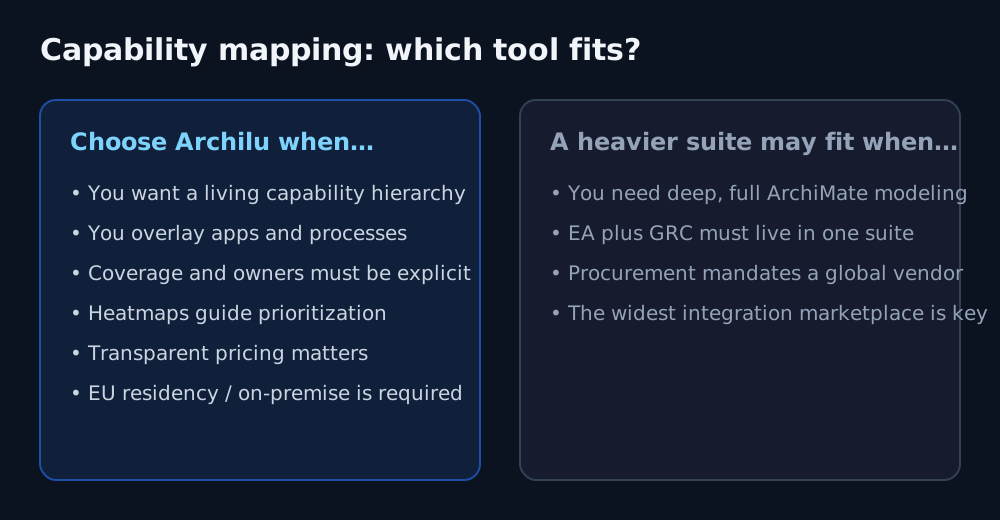
No single tool wins every context. If you need deep, full ArchiMate-notation modeling, unified EA plus GRC in one suite, or your procurement mandates a long-standing global vendor with the widest integration marketplace, a heavier platform may suit you better — and we will not pretend otherwise.
Archilu is a focused choice that trades some breadth for EU sovereignty and fast time-to-value. The point is to match the tool to your context, not to the longest feature list.
Decide from your maturity, then buy
Before comparing tools, baseline where your architecture practice actually stands. Archilu's free EA Maturity Assessment scores ten dimensions and returns a prioritized action plan in about ten minutes — a concrete way to see which capability mapping profile your organization needs, and a clean first step before a demo.
Metrics that matter
Use KPIs that measure decision quality and adoption, not tool activity volume.
- Decision lead time by workflow
- Adoption rate by role and business domain
- Architecture exception closure rate
- Portfolio decisions supported by evidence
Common mistakes
Most software selection failures are operating model failures before they are tooling failures.
- Comparing feature lists without testing real decision workflows
- Ignoring integration and data model constraints
- No adoption plan by stakeholder group
- No migration strategy for existing repositories
Practical checklist
Run this checklist before committing to a platform contract.
- Define top 5 decision workflows and success metrics
- Run a time-boxed pilot with real portfolio data
- Score adoption risk by role and business domain
- Validate migration and integration effort before selection sign-off
A capability mapping tool that links hierarchy, owners, coverage and app overlays into heatmaps — with unlimited users, EU hosting and fast time-to-value.
FAQ
What does a capability mapping tool actually do?
A capability mapping tool helps you build a structured, multi-level view of what your organization does — the business capabilities — and then connect that view to the applications, processes and owners that deliver it. The payoff is prioritization: with coverage and heatmaps you can see where systems are duplicated, where a critical capability is under-supported, and where to invest. Archilu provides this hierarchy with application and process overlays, explicit owners, coverage and heatmaps.
Does Archilu charge per user?
No. Every Archilu plan includes unlimited users with no per-seat fee, so inviting the owners and stakeholders who keep a capability map honest does not increase the bill. When you model total cost of ownership, factor in implementation, the internal effort to maintain the data, hosting and training alongside the licence.
When is a heavier modeling suite a better fit?
If you need deep, full ArchiMate-notation modeling, unified EA plus GRC in a single suite, or your procurement mandates a long-standing global vendor with the widest integration marketplace, a heavier platform may suit you better — and we will not pretend otherwise. Archilu trades some of that breadth for transparent cost, sovereignty and fast time-to-value.
What is the best first KPI after software rollout?
Track decision lead time and stakeholder adoption by role within the first 90 days.
Should procurement drive platform selection alone?
No. Procurement, architecture, and transformation leadership should evaluate together.
Strategic links
Compare enterprise architecture platforms
Related articles
IT Cost and Supplier Risk: One Map for Money and DORA
Cost and ICT third-party risk are usually managed in separate spreadsheets. Mapping applications to suppliers and cost in one model lets you see concentration, license exposure and rationalisation candidates at once — and produce the evidence DORA-minded reviews expect.
NIS2 and Enterprise Architecture: Mapping the Systems and Dependencies Risk Management Touches
NIS2 broadens the entities covered and raises the bar on cyber risk management, supply-chain security and incident handling. Each of those expectations rests on one prior question: do you actually know your systems and how they depend on each other? An EA map is the natural place to hold that — honestly, as evidence, not as a compliance badge.
CSSF and Enterprise Architecture: One Map for ICT, Outsourcing and Resilience Documentation
Banks, PFS, investment firms and fund actors supervised by the CSSF carry recurring documentation expectations around ICT, outsourcing and operational resilience. Each rests on a prior question: can you actually show your capabilities, applications, data flows and the third parties behind them? An EA repository is the natural place to hold that — honestly, as evidence, not as a compliance badge.